

Simple Tricks to Boost Your Laptop Speed Like New

Imagine you’re attending an online class, working on meeting project deadlines, or just casually browsing, and suddenly your laptop slows down. Apps take more time to open, your screen freezes, or everything starts lagging. It is really frustrating when this happens, especially when we need our laptop to work fast the most. However, with simple tricks to boost your laptop speed, you can make your device’s speed like new.
Most slowdowns occur because we ignore simple issues every day. The best part is you don’t always need costly repairs and upgrades to fix these issues. You only need to follow some simple habits and basic maintenance to speed up laptop performance. Keep reading to know the reasons that cause slower performance and effective tips that can easily help you speed up your laptop performance.
Table of Contents
Common Reasons Your Laptop Slows Down

You must already be aware that a laptop doesn’t slow down in one day. It happens when we ignore small issues every day. Just small problems like too many apps running, old software, and low storage can turn a small problem into a big and frustrating slowdown.
However, as we discussed above, most of the issues linked with speed up laptop performance come from our poor daily habits. You only need to know what makes your laptop slow down. Here are the main causes that make a laptop slow down over time.
- When your laptop’s hard drive is full, it cannot process new tasks. Even when the storage is nearly full, it starts taking more time for simple tasks like opening apps.
- Insufficient RAM is another reason behind the laptop’s slowdowns. When your laptop’s RAM is insufficient, it can’t handle multiple apps at the same time. So, you may struggle when switching between tasks.
- Using outdated hardware is another big reason, as it cannot handle advanced software. So, parts like old processors can’t deliver fast performance.
- Another reason for laptop slowdowns can be pending system updates. Not just slow performance, pending updates can also result in major security risks.
Simple Tricks to Boost Your Laptop Speed: 10 Easy Fixes

In addition to the causes we discussed above, many other minor issues can cause significant problems, such as slowing down laptop speed. But the good news is that you don’t need to spend money to speed up your laptop. You just need to follow simple tricks to boost laptop speed to achieve fast performance and a fresh feel again.
1. Remove Apps You Don’t Use Anymore
The most common reason behind a laptop’s slow performance is that we keep apps that we no longer use. These unused programs take up our laptop’s valuable space and even run in the background. By removing these apps, you can free up space and reduce the load on your system. This simple trick can instantly speed up laptop performance.
2. Stop Unnecessary Programs from Starting Automatically
Many apps start running as soon as you switch on your laptop. Even when you don’t need them, those apps automatically launch. This causes the lagging issue, and your laptop starts taking more time to perform tasks. You only need to disable these apps to boost your laptop’s speed. Moreover, adjusting the startup programs also gives more power to the apps that you actually want to use.
3. Clear Out Storage & Delete Junk Files
One of the simplest tricks to boost your laptop speed is to remove unnecessary files. Our laptop slows down when it doesn’t have enough free space. Old files, temporary data, and junk folders fill your storage over time. So, you need to clean up junk files to provide your laptop with more space to perform tasks. By cleaning your drive, you can instantly refresh your laptop’s speed.
4. Upgrade Parts Like RAM or Move to an SSD
Another reason for the slowdown could be outdated parts. Old RAM or a hard drive can’t easily handle advanced software. So, by adding more RAM, you can help your laptop manage multiple tasks without freezing. Switching to an SSD can be a smart choice, as it instantly boosts your device. These upgrades are not costly and are very affordable. Upgrading older parts can completely change your laptop’s performance.
5. Keep Your System and Software Updated
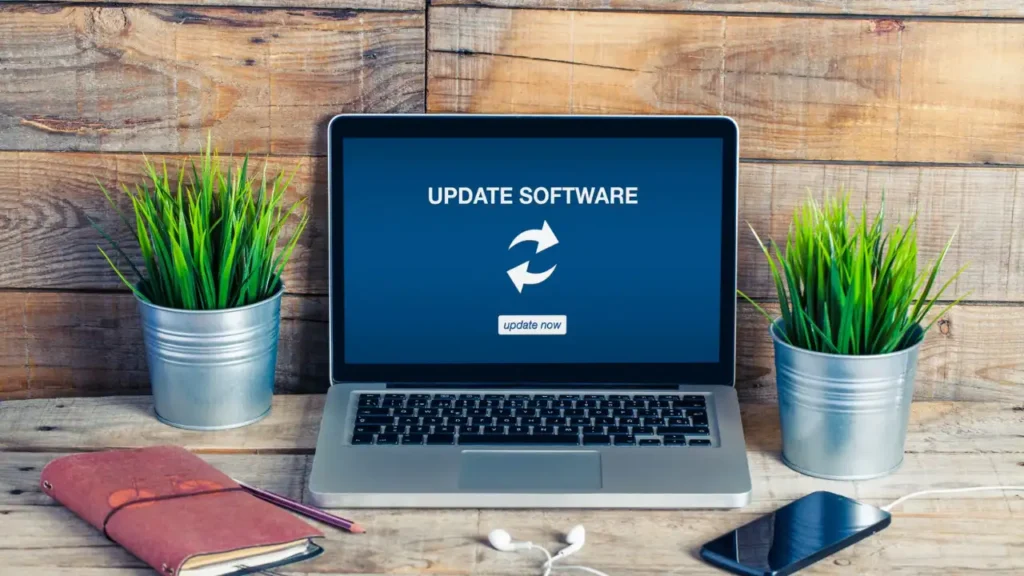
Outdated software, like OS and drivers, can also cause slow performance, lagging, and even security issues. By updating the software, you can help your laptop run better. However, ignoring updates means your device has to struggle with newer apps. You only need a few minutes to update your system, and it can save you from hours of frustration later.
6. Change Power Settings for Better Performance
Many people run their laptops in power-saving modes to save battery, but it limits their device’s speed. You need to change the power settings and switch to a performance mode to give your laptop more power. This simple change can help your laptop perform tasks faster and more smoothly. This is among the simplest tricks to boost your laptop speed.
7. Clean Dust from Your Laptop to Prevent Overheating
Over time, dust accumulates inside air vents and coats the internal parts of the laptop. This buildup of dust causes the laptop to overheat. When your device gets too hot, it slows itself down to prevent major damage. You need to clean the vents and fans to keep your laptop cool. By keeping your laptop clean on the outside, you can improve airflow and prolong its lifespan.
8. Optimize Your Drive for Smoother Performance
When your hard drive gets cluttered, your laptop starts taking longer to find and load files. You only need to organize and optimize your device’s disk to ensure it works faster. For older laptops, this trick can do magic and instantly boost performance. A well-maintained drive helps with quicker application loading and a smoother overall user experience.
9. Turn Off Extra Visual Effects
Fancy visual effects and animations look nice, but take up extra system power. Older laptops often struggle to handle these visual effects while doing other tasks. You must turn them off to ensure your laptop can focus on performance rather than appearance. Reducing visual effects is a simple and effective change that can speed up laptop performance.
10. Scan Your Laptop for Malware or Viruses
Another common issue that causes your laptop to slow down is malware and viruses. These harmful programs run in the background and use your system’s power. By regularly scanning for these programs, you can keep your device safe and clean. This is among the simple tricks to boost your laptop speed and keep it safe from threats. So, develop a habit of doing a simple virus scan regularly, as it can help you solve performance problems.
Give Your Laptop the Care It Deserves
After reading these simple tricks to boost your laptop speed, you now know that keeping your laptop fast is not difficult. Most issues occur because of our poor habits, like keeping too many apps open, ignoring updates, and not deleting junk files. So, you only need to change your daily habits to make sure your laptop responds quickly.
You don’t even need to follow these habits every day; just give a little attention to these every week to avoid bigger problems. Follow these simple tricks we learned above to speed up laptop performance. By regular care and smart usage, you can make sure your device is always ready for all your work. Moreover, these tips also save you from costly repairs and maintenance problems.
Also Read – SanDisk Launches Ultra-Compact USB-C Flash Drive with 1TB Storage and 400MB/s Speeds